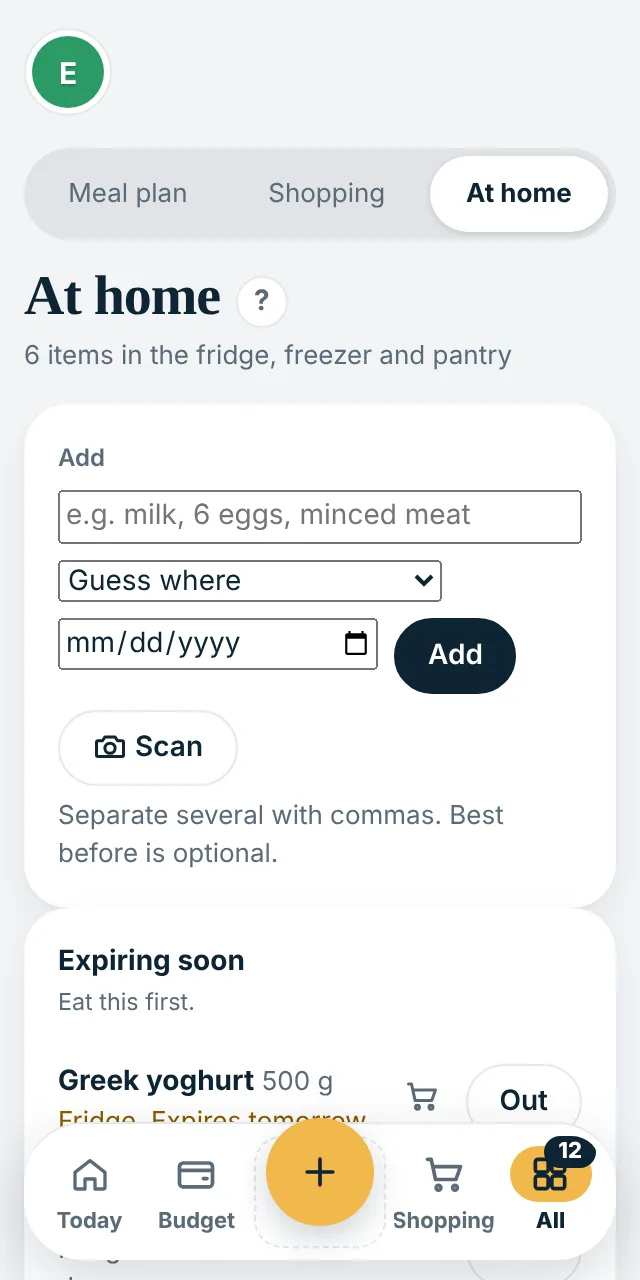
Scan what you have bought
- The barcode is read with the camera, or typed in. The product name is looked up at Open Food Facts and Open Products Facts; only the barcode number is sent there.
- The right place by itself: dairy and meat in the fridge, ice cream and frozen food in the freezer, flour and pasta in the cupboard, washing-up liquid and paper among disposables and cleaning.
- The app remembers where you put an item last time, so next time it is even quicker.
What is about to go off
Add a best-before date if you like, and the app gathers what goes off in the next few days at the top. Then it gets eaten instead of thrown away. The cook mode in the meal plan can also suggest recipes that use what you have.
When something runs out
Tap Out, or the shopping trolley, and the item goes on the shopping list. You can also type it the way you would say it: “milk and eggs in the fridge”.
Frequently asked questions
Does it cost anything?
At home is part of OneRoof+, SEK 29 a month for the whole household. New households get everything free for 14 days, with no payment card.
Does scanning work on iPhone?
Yes. The app uses the phone’s camera in the browser, on both Android and iPhone. If the camera cannot be used, you can type the barcode.
What happens if the item is not found?
Then you type its name once. The app remembers it for that barcode.
Try OneRoof
Budget, shopping list, calendar, the car, the pets and pocket money, for the whole household in one app. Part of OneRoof+. New households get everything free for 14 days, with no payment card.
Create an account and try itSources: Open Food Facts.