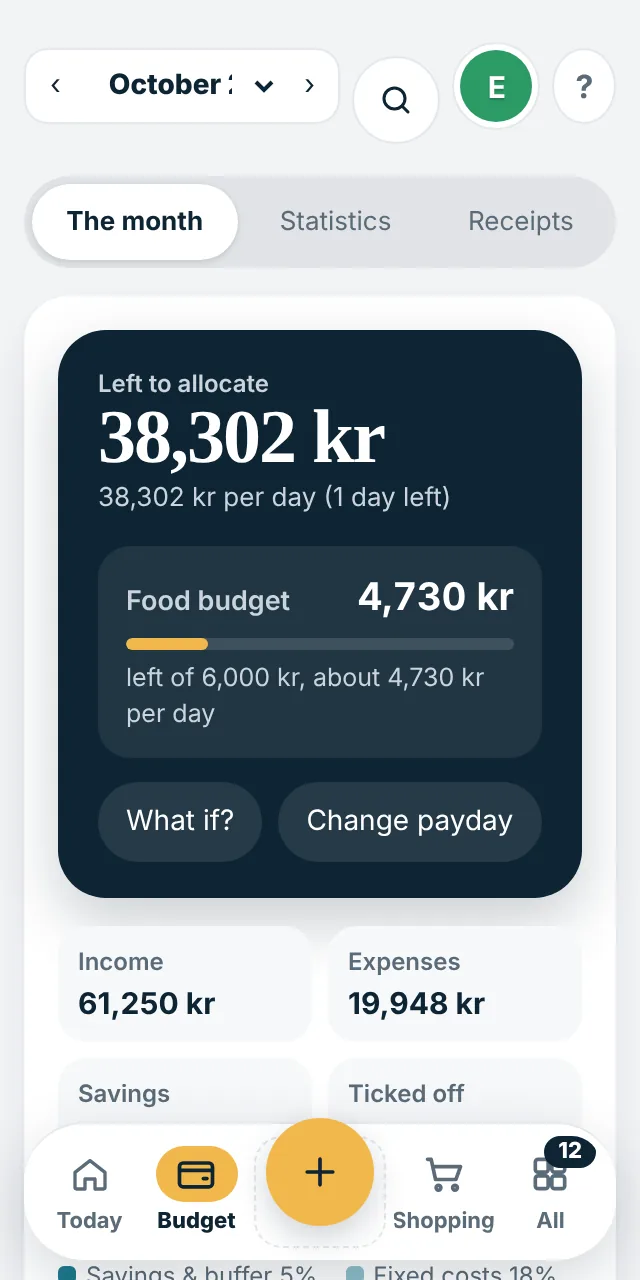
How to make the budget
- Income: each person’s pay after tax, plus child benefit, student support or pension.
- Housing and fixed costs: rent or service charge, electricity, water and insurance.
- Subscriptions: mobile, broadband and streaming.
- Food: what you spend on food in a month.
- Car, pets and loans, if you have them.
- Savings: an amount every month, and ideally a goal.
The app then shows what is left each month, and how much you have per day.
A budget month that starts on payday
If you are paid on the 25th, the budget month can run from the 25th to the 24th, for example 25 October to 24 November, instead of following the calendar month. If you are paid weekly or every other week, the budget can follow that too.
More than a list of numbers
- Bills with due dates, so that you can see what needs paying next.
- The food budget counts down when you shop and when you scan food receipts.
- The car, pets and pocket money are added by themselves.
- Statistics for the month, plus savings goals and loans that follow the budget.
- Your own currency: pounds, euros, dollars, kronor and more.
Frequently asked questions
Is the budget free?
Yes. The budget, the month’s statistics and the help creating the budget are part of the free version, for good.
Can two or more of us use it?
Yes. Invite the others in your household with a code. Everyone sees the same budget and can tick off what has been paid.
Can I change the budget afterwards?
Yes, everything can be changed, and new months get the same items as the previous one.
Try OneRoof
Budget, shopping list, calendar, the car, the pets and pocket money, for the whole household in one app. Free to start. New households get everything in OneRoof+ free for 14 days, with no payment card.
Create an account and try it